> ## Documentation Index
> Fetch the complete documentation index at: https://docs.qwacks.com/llms.txt
> Use this file to discover all available pages before exploring further.
# Players & Auth
> Sign players in with email, device, Google, Apple, or Steam — all through the SDK.
export const Scope = ({children}) =>
Scope: {children}
;
Flock supports several player sign-in methods, all through the SDK. See
[Authentication](/authentication) for how the SDK manages game and player sessions.
players are accounts within a single **game**.
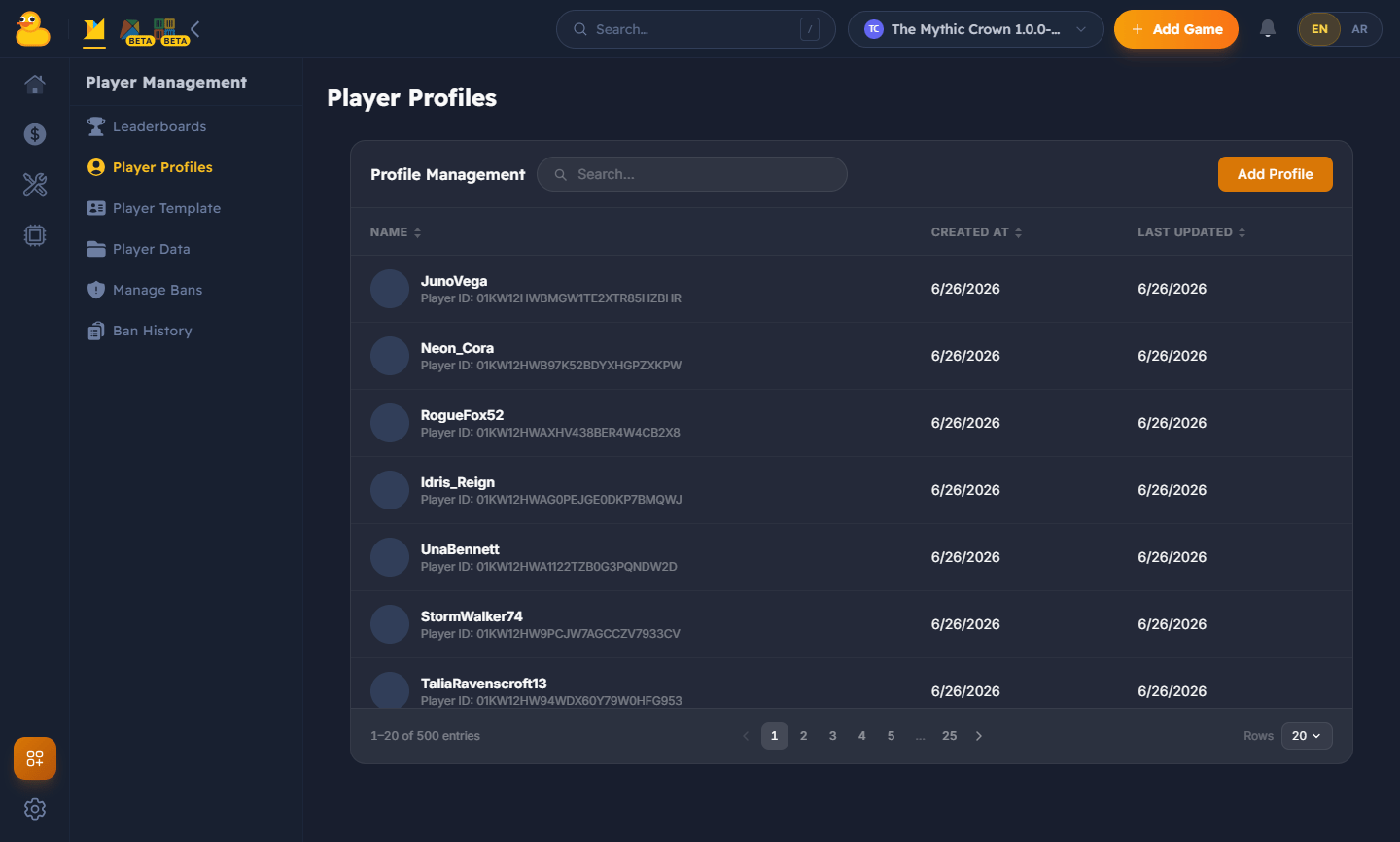
Browse and manage your game's players from the Flock dashboard — search accounts, inspect
profiles, and review linked providers.
 Each method is a `LoginWith…Async` call on `FlockClient.Instance.Authentication`. They **throw**
on failure.
`LoginWithEmailAsync` — classic account sign-in.
`LoginWithDeviceAsync` — frictionless guest sign-in keyed to a device.
`LoginWithGoogleAsync` / `LoginWithAppleAsync` — platform identity.
`LoginWithSteamAsync`, `LoginWithFacebookAsync`, `LoginWithDiscordAsync`.
```csharp theme={null}
await FlockClient.Instance.Authentication.LoginWithEmailAsync(email, password);
Debug.Log($"Signed in as {FlockClient.Instance.CurrentPlayerId}");
```
Registration happens automatically the first time a player signs in, so there's no separate
sign-up step.
## Sessions
The SDK keeps the player signed in and refreshes their session automatically — you never handle
tokens or expiry yourself. If a player needs to re-authenticate, the SDK raises
`FlockEvents.OnAuthExpired`.
Each method is a `LoginWith…Async` call on `FlockClient.Instance.Authentication`. They **throw**
on failure.
`LoginWithEmailAsync` — classic account sign-in.
`LoginWithDeviceAsync` — frictionless guest sign-in keyed to a device.
`LoginWithGoogleAsync` / `LoginWithAppleAsync` — platform identity.
`LoginWithSteamAsync`, `LoginWithFacebookAsync`, `LoginWithDiscordAsync`.
```csharp theme={null}
await FlockClient.Instance.Authentication.LoginWithEmailAsync(email, password);
Debug.Log($"Signed in as {FlockClient.Instance.CurrentPlayerId}");
```
Registration happens automatically the first time a player signs in, so there's no separate
sign-up step.
## Sessions
The SDK keeps the player signed in and refreshes their session automatically — you never handle
tokens or expiry yourself. If a player needs to re-authenticate, the SDK raises
`FlockEvents.OnAuthExpired`.