Every purchase creates its own entry, so buying the same item twice gives you two. Each entry
carries a server-set status and used_at, both read-only — there is no call in either SDK that
marks an entry used.A purchase is money-safe. It is never retried after an ambiguous failure and never queued
offline, so it cannot double-charge. Inventory is always fetched fresh; the catalog is cached and
served offline, so treat a displayed price as advisory until the purchase succeeds.
Purchases grant their contents server-side. Give a shop item a type of Currency pack or
Consumable and attach rewards to it, and the server credits the player as part of the same
transaction that debits the price. Neither half can happen without the other, and the client never
decides what was granted — so a modified client cannot award itself anything, and a dropped
connection cannot leave a player charged with nothing to show for it.A Standard item is the older behaviour and still the default: it debits the price and records
an inventory entry your game interprets however it likes.
Dashboard
Unity
Unreal
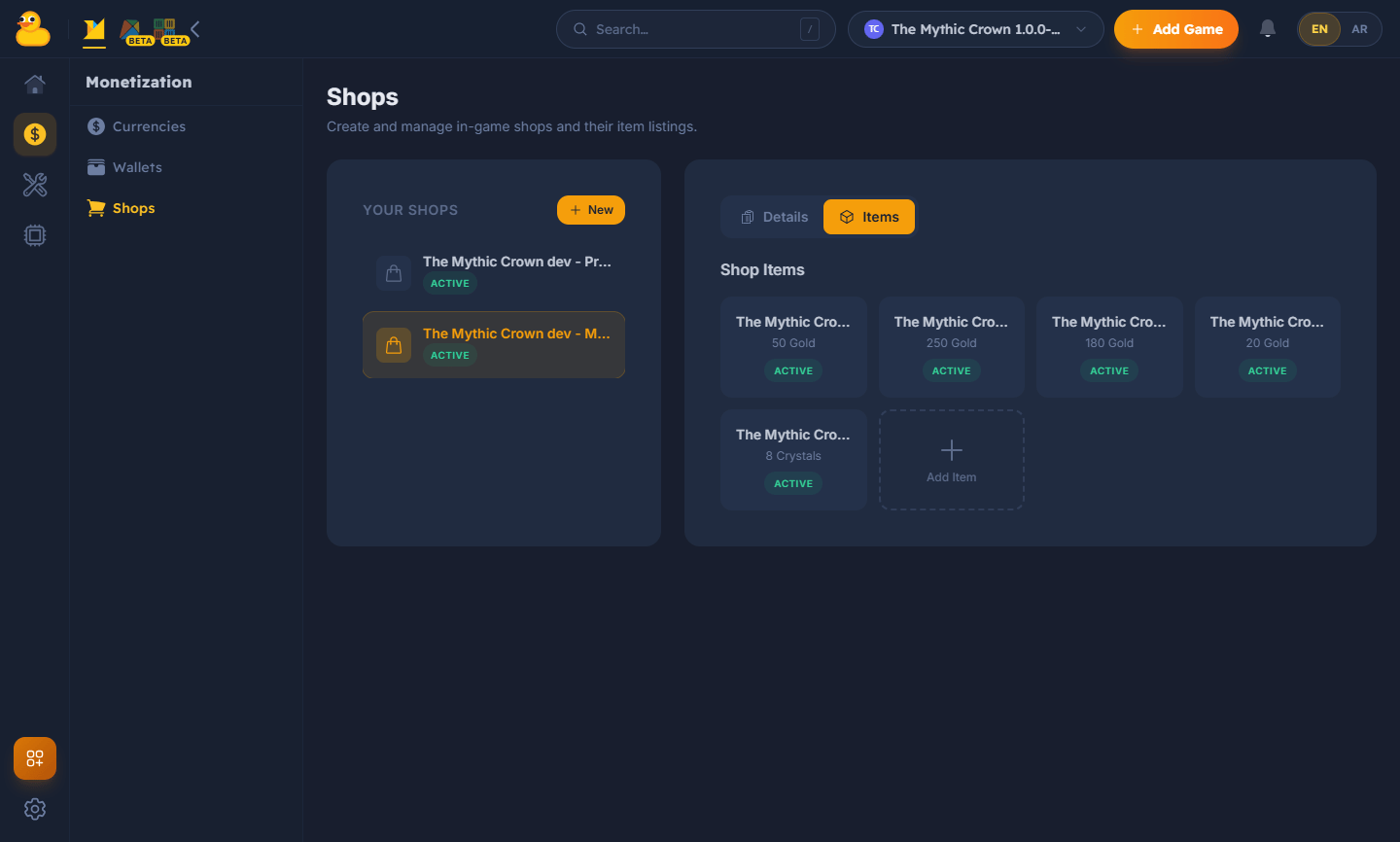
Configure shops and their items for a game version in the dashboard — set prices, currencies,
and availability.
Configure shops and items in the dashboard.
Use the SDK’s shop methods to list the shops and items available for your game version, then make
a purchase for the signed-in player. PurchaseAsync defaults to the signed-in player and returns
everything the purchase produced — what was granted, the wallet afterwards, and the inventory
entry if the item created one.
PurchaseResult purchase = await FlockClient.Instance.Shop.PurchaseAsync("shop-item-id");foreach (ShopItemReward reward in purchase.Granted) Debug.Log($"+{reward.Amount} {reward.Code}"); // e.g. +500 GoldPlayerData wallet = purchase.Wallet; // balance after the grantPlayerInventory entry = purchase.Inventory; // null for a currency packPaginatedResponse<PlayerInventory> owned = await FlockClient.Instance.Shop.GetPlayerInventoryAsync();
A currency pack pays straight into the wallet and creates no inventory entry. A Consumable
does the opposite: it lands in the inventory and grants when the player spends it.
Granted is never null — an item that grants nothing returns an empty list. To show what an item
will give before the player buys it, read ShopItem.Rewards from the catalog.A declined purchase throws — catch FlockException and check ErrorCode for
FlockErrorCode.ShopInsufficientFunds to tell “can’t afford it” apart from a network failure.
Consuming carries the same guarantee as buying: an ambiguous failure surfaces rather than being
retried, so a reward is never granted twice.
Browse with the Flock | Shop nodes, or the shop provider in C++. An item’s free-form data and
stats read by dotted path, so no JSON parsing node is needed.Purchase completes with everything the purchase produced — what was granted, the wallet
afterwards, and the inventory entry if the item created one.
Purchase by picking a generated item — the ID is baked in and cannot be mistyped.
Sdk->GetShopProvider()->Purchase(ItemId,
    [](TFlockResult<FFlockPurchaseResult> Bought)
    {
        if (!Bought.bSuccess)
        {
            if (Bought.Error.ErrorCode == EFlockErrorCode::ShopInsufficientFunds)
            {
                // The server declined — show the player, don't retry.
            }
            return;
        }

        for (const FFlockShopItemReward& Reward : Bought.Value.Granted)
        {
            // e.g. +500 GOLD. Compare against the constant, never a typed-out "currency":
            // the server owns that set and can add kinds.
            if (Reward.Type == FlockShopItemRewardTypes::Currency) { /* Reward.Code, Reward.Amount */ }
        }

        // Both may legitimately be absent, so ask rather than testing the Id yourself.
        if (Bought.Value.HasWallet())       { /* Bought.Value.Wallet — balances after the grant */ }
        if (Bought.Value.HasInventoryRow()) { /* Bought.Value.Inventory — the row the player owns */ }
    });
A currency pack pays straight into the wallet and creates no inventory entry — HasInventoryRow()
is false, which is the legitimate no-row case rather than an error. A Consumable does the
opposite: it lands in the inventory and grants when the player spends it.
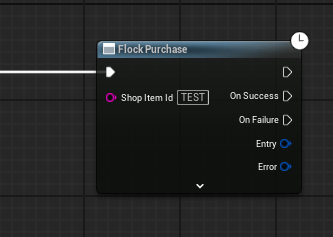
In Blueprint these are Flock Purchase and Flock Consume Inventory Item. Break the purchase
result for Inventory, Granted and Wallet, and use the pure nodes rather than testing fields
yourself: Has Inventory Row before reading the row, and Is Currency Reward to branch on a
reward kind. Comparing a reward’s Type to a hand-typed string is the one mistake worth guarding
against — a typo reads as “not a currency reward” and silently skips the grant.Granted is never null — an item that grants nothing returns an empty list. To show what an item
will give before the player buys it, read Rewards from the catalog item.A declined purchase fails the result rather than throwing — check Error.Code for
EFlockErrorCode::ShopInsufficientFunds to tell “can’t afford it” apart from a network failure.
Consuming carries the same guarantee as buying: an ambiguous failure surfaces rather than being
retried, so a reward is never granted twice.

 Qwacks
 Flock
Flock Protokite
 Data Duck